
Most Pilots Don’t Think About Their UAT Radio. Until It Stops Working.
Most people buy a Stratux and never upgrade it. That’s fine — it works. But if you’ve ever wondered why the UAT radio occasionally misses traffic, why your weather isn’t coming in cleanly, or why your unit won’t boot — there’s a good chance the CC1310 radio board is worth a closer look.
This isn’t a complicated part. It’s a small board with a specific job: receive 978 MHz UAT signals. When it’s working well, you don’t notice it. When it isn’t, you lose weather, traffic coverage degrades, and diagnosing the problem isn’t always obvious.
Let’s talk about what it actually does — and how to know if yours needs replacing.
What the UAT Radio Actually Is
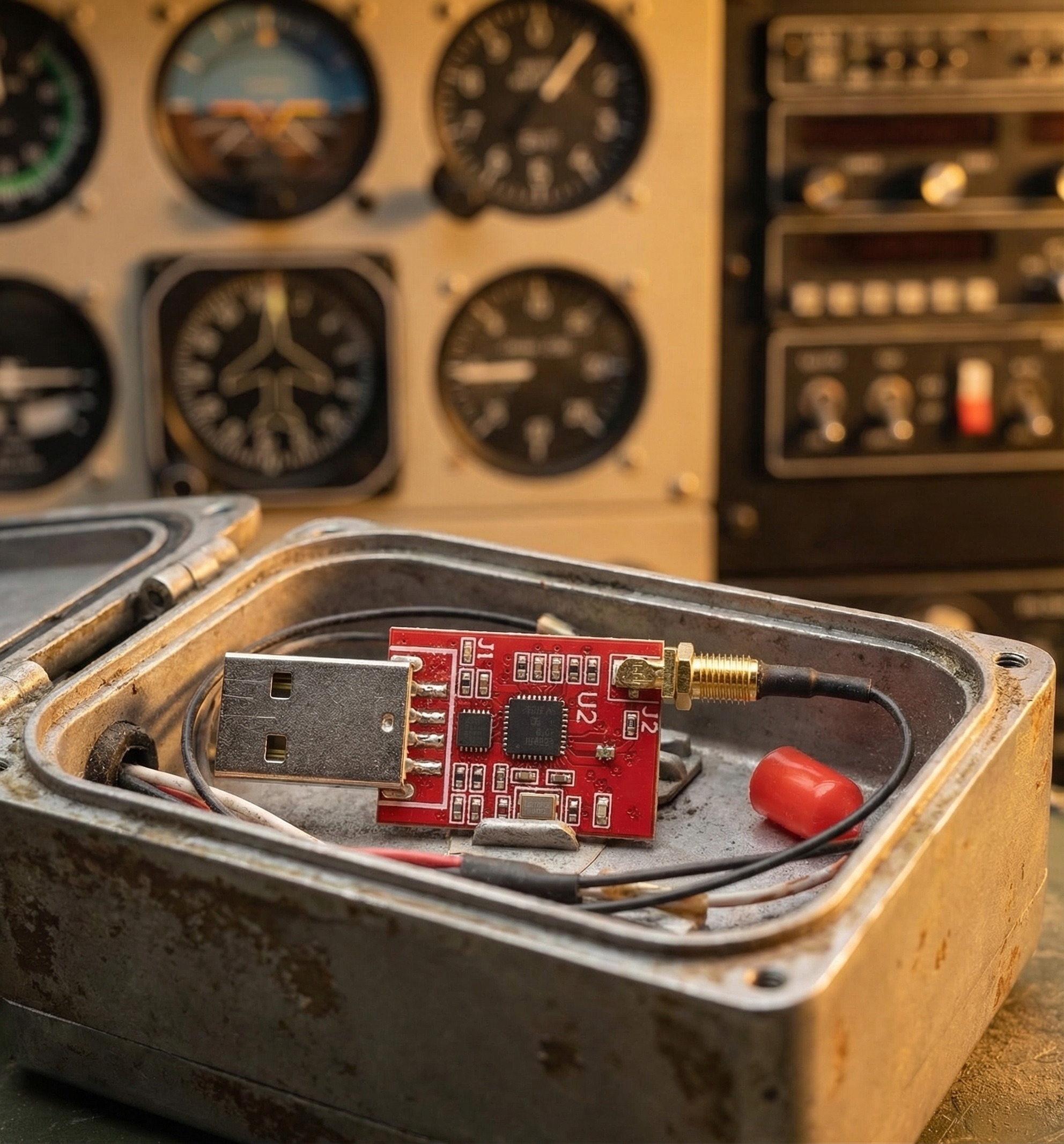
The Stratux UAT radio is a Texas Instruments CC1310 chip on a dedicated receiver board. It is not an RTL-SDR dongle doing double duty — it’s purpose-built hardware for 978 MHz reception. That distinction matters more than it sounds.
Generic SDR dongles are general-purpose receivers. They’re flexible, but they’re not optimized for any single frequency. The CC1310 is. It’s engineered specifically for the 978 MHz UAT band, which means better sensitivity, better noise rejection, and more reliable decoding under real-world conditions. When you’re at 8,500 feet with three paint-shaker aircraft below you trying to all broadcast at once, that matters.
The CC1310 also draws less power than an SDR-based approach, which is a small but real benefit if you’re running on a portable battery.
What the UAT Radio Receives
The 978 MHz UAT band carries two types of transmissions:
Traffic (ADS-B Out from UAT-equipped aircraft)
Any aircraft broadcasting on 978 MHz — which is most GA traffic below FL180 in the US — shows up on your UAT radio. You see their position, altitude, and ground speed in your EFB. Pair it with the 1090 MHz ADS-B radio (included in a full Stratux build) and you’ve got both bands covered.
FIS-B Weather (Ground Broadcast)
This is the big one. FIS-B weather is broadcast from ADS-B ground towers on 978 MHz. Your CC1310 radio receives it, Stratux decodes it, and your EFB displays it. What’s in FIS-B:
- NEXRAD radar — regional and conus composite, updated every ~2.5 minutes
- METARs — surface observations from airports along your route
- TAFs — terminal area forecasts
- PIREPs — pilot reports of actual conditions
- TFRs — temporary flight restrictions, updated in near-real-time
- AIR/SIGMETs, NOTAMs, winds aloft
All of this is free. No subscription. No satellite link. Just line-of-sight to an ADS-B ground tower, which you typically get at around 1,000 feet AGL or higher.
UAT Coverage Area: US and Canada
UAT (Universal Access Transceiver) is the North American standard for ADS-B below FL180. The ground tower network — including CIFIB (Canadian Infrastructure for Integrated Broadcast) towers — covers both the United States and Canada. If you’re flying anywhere in North American airspace below FL180, your UAT radio has coverage.
A note on altitude: FIS-B weather requires line-of-sight to a ground tower. On the ground or at very low altitude in a hangar, you won’t receive weather. That’s not a hardware problem — it’s geometry. Once you’re airborne and above the terrain masking, weather starts flowing in.
Signs Your UAT Radio Might Need Replacement
The CC1310 is a durable component, but it’s not immortal. Here’s what to watch for:
No FIS-B weather in flight
You’re cruising at 6,500 feet in an area with known ground station coverage, and your EFB weather layer is empty. Traffic might still be showing up (from 1090 MHz), but the weather tap has gone dry. That’s a UAT-specific problem.
Partial or inconsistent traffic
You’re seeing 1090 MHz traffic fine, but aircraft you know are UAT-equipped — low-altitude GA, Cessnas, Pipers — aren’t showing up. The UAT board may be under-performing.
Stratux won’t complete boot / shows UAT radio as failed
The Stratux web interface (accessible at 192.168.10.1 while connected) shows radio status. If the UAT radio shows as failed, errored, or simply absent, the hardware needs attention.
Physical damage to the board
The connector is a small u.FL jack. If it’s been yanked or stressed — maybe during a case swap or a rough landing bag — the board can fail intermittently, which is the most frustrating kind of failure to diagnose.
How to Replace It: A 10-Minute Job
This is one of the nicest things about the Stratux design. The UAT radio board isn’t soldered in. It’s a module with a standard u.FL connector, mounted in the case with small screws. Replacing it is straightforward:
- Power off and unplug the Stratux unit completely.
- Open the case — typically two to four screws on the bottom of the case, depending on which enclosure you’re using.
- Locate the UAT radio board — it’s usually labeled, and the u.FL antenna connector is the small circular connector attached to the antenna wire.
- Disconnect the antenna by gently pressing on the u.FL connector and pulling straight up. No tools needed; fingernail or a non-metallic spudger works fine. Do not use pliers — you’ll damage the connector.
- Unscrew the board from its standoffs.
- Install the new board, connect the antenna, and reassemble.
- Boot the unit and check the web interface to confirm the UAT radio is recognized.
Total time: 10 minutes if you’ve done it before, 20 if it’s your first time and you’re being careful. No soldering. No firmware flashing. Plug and play.
Get the Replacement UAT Radio
The CC1310-based UAT radio board is available directly from Crew Dog Electronics. Same part that ships in our pre-built units — no compatibility guesswork, no sourcing random parts from eBay that may or may not be the right spec.
Also available on Amazon: amzn.to/3KgXiTY
If you’re not sure whether the UAT radio is your problem, start at the Stratux web interface — 192.168.10.1 while connected to the Stratux WiFi network. The status page will tell you exactly which radios are recognized and whether they’re operating normally. From there, it’s usually a clear diagnosis.
Your weather data is only as good as the radio receiving it. The CC1310 is a purpose-built chip, and a fresh one is a $40 fix that brings your whole weather picture back to life.